Displaying a category list as your wp_nav_menu fallback
When it comes to building WordPress themes, the wp_nav_menu function is a beautiful thing. As the name implies, this function is what enables the drag-and-drop menu building interface.
Before a menu is built, if ever, the wp_nav_menu function will fallback to the wp_page_menu. For theme users, this will help visualize where their custom-built menu will eventually go, providing a probably-useful list of pages for everyone else in the meantime.
When adding menu locations with wp_nav_menu, you also have the option of using another fallback function, or displaying no fallback at all, forcing users to build a menu before anything is displayed.
Most of the time, you’ll probably want to stick with the default fallback of wp_list_pages. Here are a few use cases where you might not:
- No fallback at all: a social links menu, which is guaranteed to be useless until the theme user fills out their social profile links
- A category list fallback: for a non-primary menu, located directly above your latest blog posts
An example of a category list fallback can be seen in the Rovigo theme, which displays a menu between the blog heading and the latest blog posts.
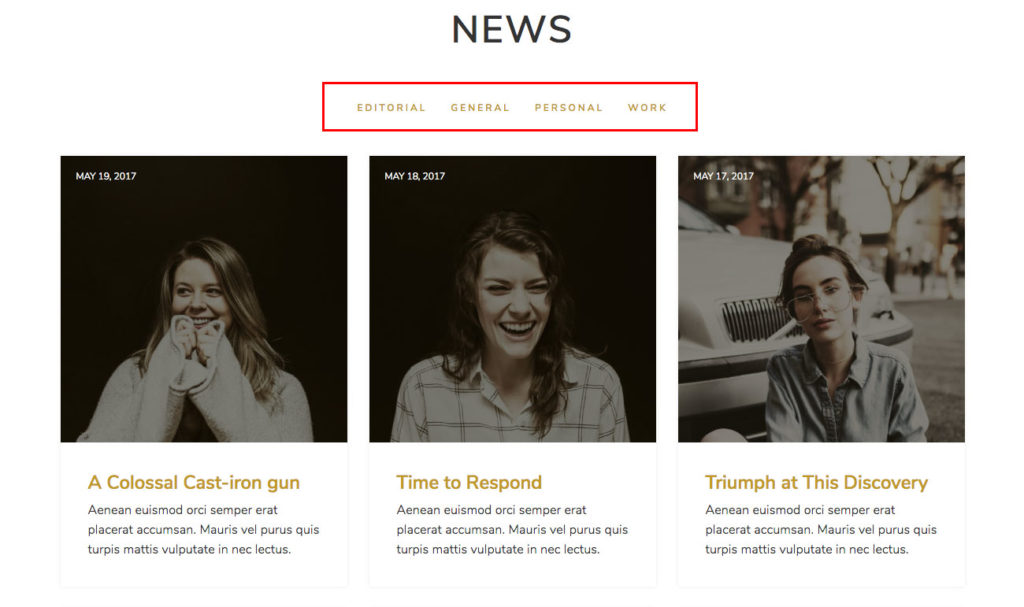
What happens when we use wp_list_categories as our wp_nav_menu fallback
Here’s what the Rovigo theme would look like if we used a plain wp_list_categories function as the fallback instead:
wp_nav_menu( array(
	'container' => false,
	'theme_location' => 'menu-2',
	'menu_id' => 'blog-menu',
	'fallback_cb' => 'wp_list_categories',
	'depth' => 1,
) );
This odd-looking output is derived from the default options of the wp_list_categories function, which includes a title and markup that starts with a list item when it should be wrapped in an unordered list.
Solution: Make a brand new function
Instead, we could do something like this to leverage the existing wp_list_categories function:
function rovigo_wp_list_categories() {
	$args = array(
		'echo'             => 0,
		'title_li'         => '',
		'show_option_none' => '',
	);

	$output = '<ul id="blog-menu" class="menu">' . wp_list_categories( $args ) . '</ul>';

	echo $output;
}
Since wp_list_categories echos by default, we want to make sure we turn that off before storing it in $output. Overriding the show_option_none argument ensures the “No Categories” text does not display if there are no categories.
This same concept can be used with other “list and dropdown functions” like wp_get_archives and wp_list_authors.