Installing a WordPress plugin by uploading a zip file through your site's admin area
If you need to install a plugin that is commercial, or otherwise not available on the official WordPress.org plugin repository, you won't be able to grab the files directly from your site's admin panel.
When you buy a commercial plugin, they will provide a compressed 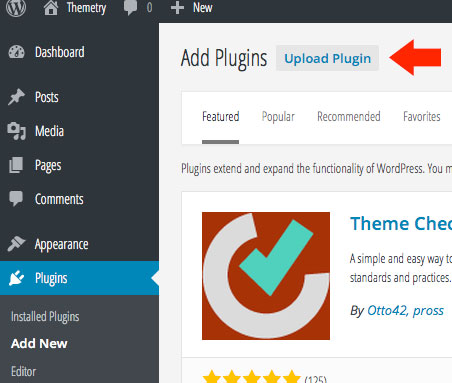
 You can get to this page directly by navigating to the following URL:
.zip file which contains all the necessary plugin files
You can upload this zip file through your WordPress site's admin area.
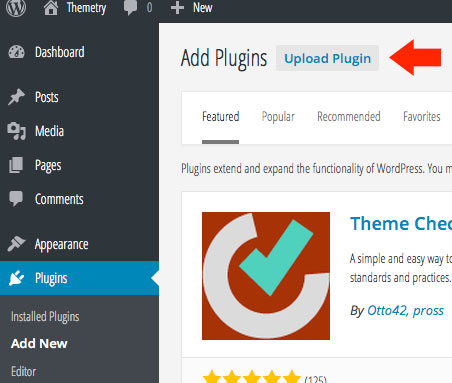
Nagitate to Plugins → Add New
After logging in to your WordPress admin area, navigate to the same Plugins → Add New page you would if you wanted to install a WordPress.org plugin directly. Instead of searching, click the "Upload Plugin" button at the top of the page. Upload the plugin zip file
On this page, you'll be prompted to upload a zip file.
You can get to this page directly by navigating to the following URL: http://example.com/wp-admin/plugin-install.php?tab=upload ...replacing with your own site URL.
From here, simply locate the .zip file stored on your computer, select, and upload.
After uploading successfully, you'll have the opportunity to activate the plugin.
Voila! You have now installed a WordPress plugin via zip upload.