Outlining the two files every WordPress theme needs
This post is the first part of the “Build a WordPress Theme from Scratch” series.
Setup Requirement
At this point in the series, you should have set up a fresh WordPress installation.
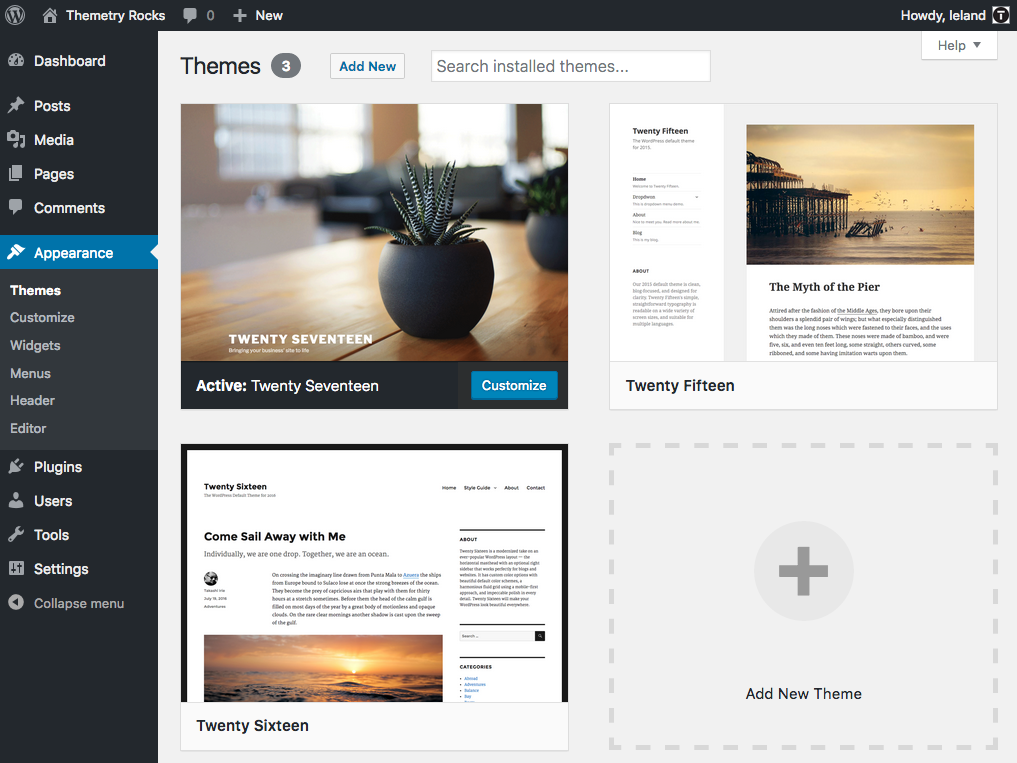
A fresh installation of WordPress will include the three most recent default themes. You can see them in the Appearance -> Themes page in the admin area.
Theme Directory Structure
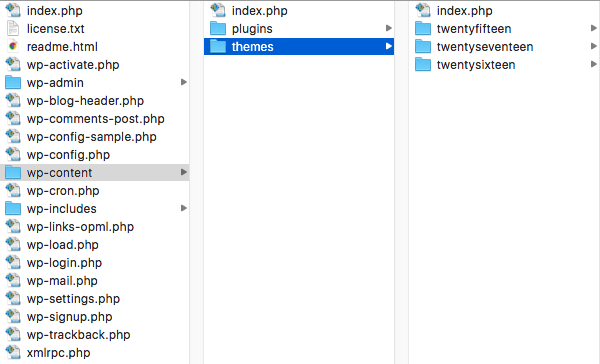
Looking at the /wp-content/themes/ folder in the filesystem, we can see each folder represents a separate theme.
Step 1: Place an empty directory inside of wp-content/themes/
We’ll call it “scratch” and keep it all lowercase to match the style of the other theme folders.
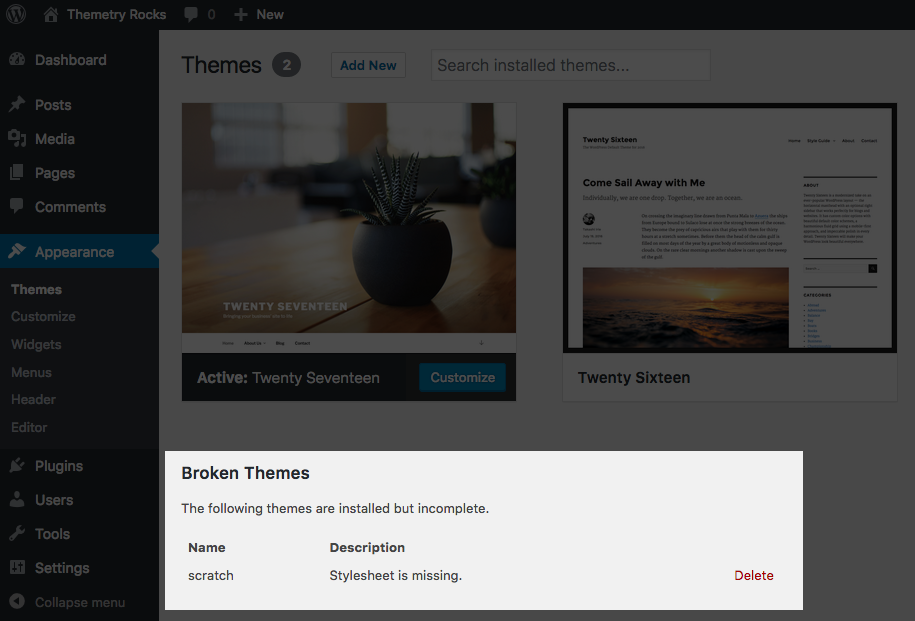
We see an error, telling us the “scratch” theme’s “stylesheet is missing.”
Step 2: Add a blank stylesheet
This error is referring to style.css, one of the two required files WordPress needs to recognize a theme.
Our theme is still not available for activation, but we see a new, more descriptive error message:
“Template is missing. Standalone themes need to have a index.php template file. Child themes need to have a Template header in the style.css stylesheet.”
Circling back to the title of this post, we know now the two files every WordPress theme needs: index.php and style.css.
Step 3: Add a blank index.php file
Simply place a blank index.php file in the “scratch” directory.
At this point, we’ll see the “scratch” available for activation. We’ve effectively satiated all the previous errors by simply adding blank style.css and index.php files to the theme directory.
Activating the theme in its current state will lead to a completely blank WordPress front-end, but we’ll be building upon this as we proceed through future lessons.
Step 4: Bask in the glory
Congratulations, you are now a theme developer.
The only theme you’ve built is completely useless so far, but not to worry, that’ll be changing as you progress through the series.
Next up, let’s learn about WordPress theme style file headers.